
Signing In from Infinite Campus
On this page
In a district that uses Infinite Campus, teachers and students reach Naiku through Campus. Nobody needs a separate Naiku password.
Students
Students sign in to Infinite Campus (Campus Student), open the assignment and click the Naiku test’s name. See Giving the Test to Students in Campus.
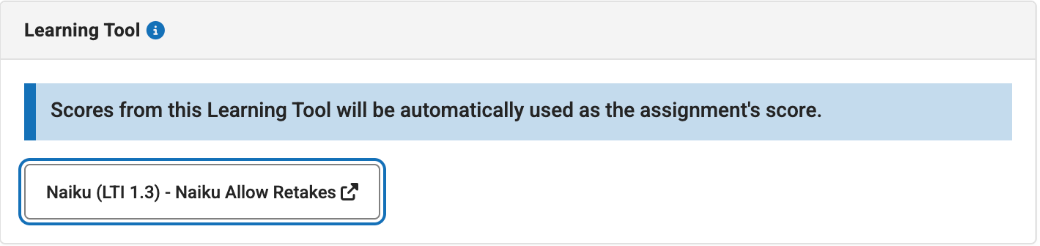
Teachers: a sign-in assignment
Any time you open a Campus assignment linked to Naiku, you’re signed in to Naiku. To get into Naiku whenever you like, for example to build tests, make a sign-in assignment once:
- In your Campus gradebook or planner, create an assignment named Naiku Sign-in. Don’t accept scores on it.
- Choose Naiku as the learning tool. Naiku opens on your Assessments page.
- Search for any short test, or create a one-question test, and click Use this assessment. Save the assignment.
From then on, click the Naiku Sign-in assignment and then the Naiku test’s name. Naiku opens in a new tab, signed in as you, and from there you can go anywhere in Naiku.
This assignment is also a good first test run with your students: have them open it to check that everyone can get in.
Trouble signing in?
Not using Infinite Campus? See Teacher Sign-In and Password or Signing In with Google. For a student who forgot a password, reset it from your class. For a student using a code, see Students Who Sign In with an Access Code.
“No such assessment”
The Campus assignment isn’t linked to a Naiku test. The teacher should edit the assignment, choose Naiku, pick the test and click Use this assessment. See Linking a Naiku Assessment to a Campus Assignment.
A new student or teacher
Naiku gets accounts and classes from Campus overnight. Someone added to a section today may not be able to launch, or may land in Naiku without their class, until tomorrow. If it isn’t right the day after, email us.
Naiku opens, but the classes or tests are missing
The person may have been matched to a different Naiku account. Don’t create a new account. Email us their name and school, and we’ll link the right one.
Nothing happens when they click
- Allow pop-ups for Campus. Naiku opens in a new tab.
- Try another browser, or sign out of Campus and back in.
Still stuck?
Email support@naiku.net with the person’s name, school, the section and the assignment name. A screenshot of any error message helps.