
Linking a Naiku Assessment to a Campus Assignment
On this page
When you link a Naiku test to an Infinite Campus assignment, students launch into the test from Campus without signing in to Naiku, and their scores go to the Campus gradebook automatically.
Link a test
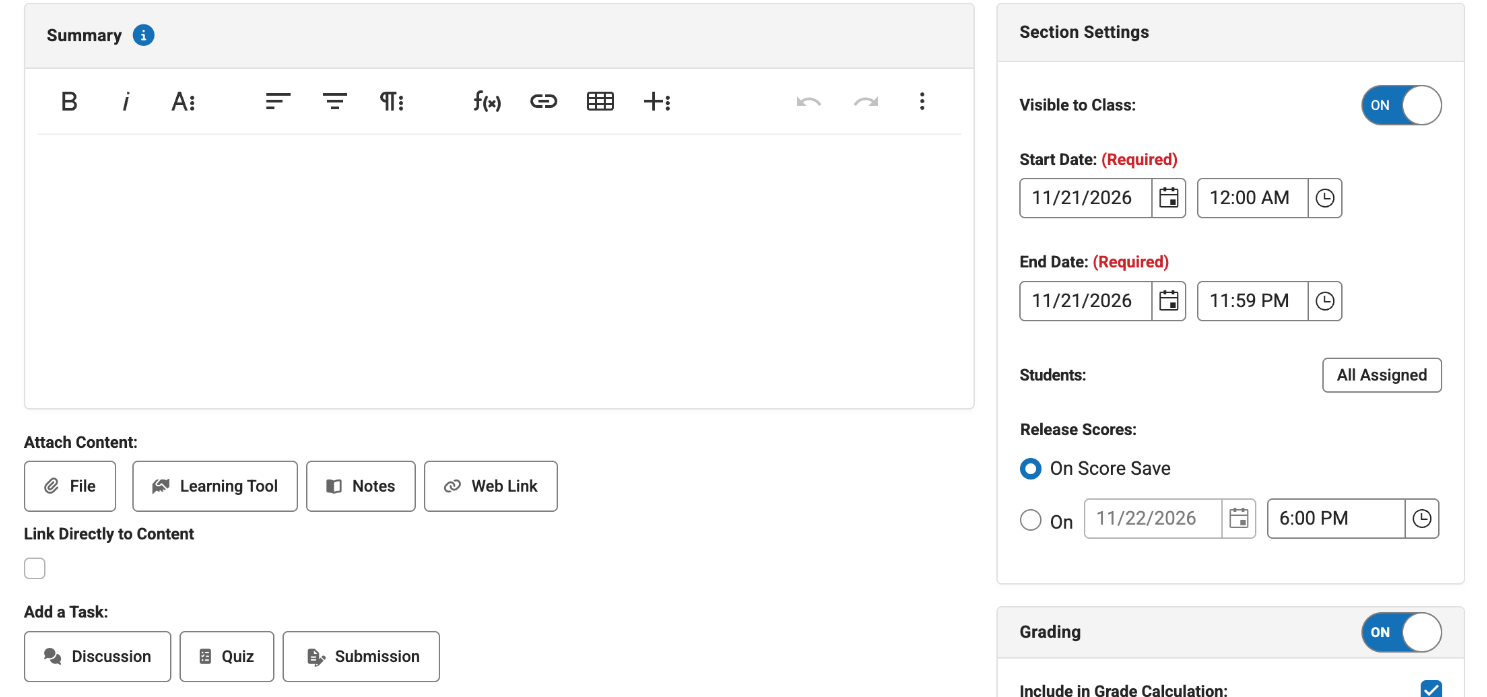
- In Infinite Campus, open Grade Book (or Planner) for your section and add a new assignment.
- Enter the assignment name and the other required fields. Make the assignment points-based, not marks or a rubric, or scores can’t come back from Naiku.
- Under the learning tools, choose Naiku.
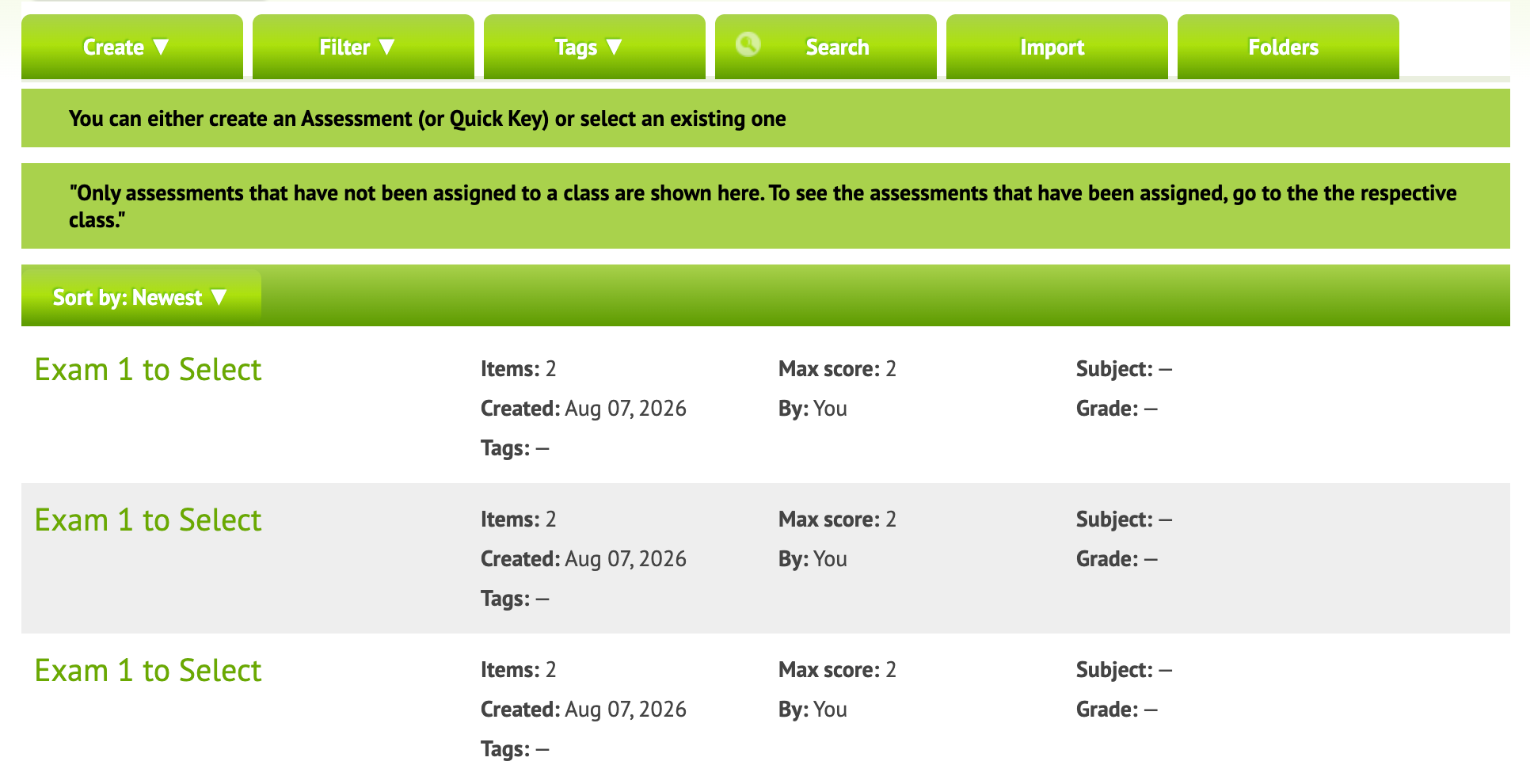
- Naiku opens, signed in as you, on your Assessments page. Choose a test you already have, or create, import or search for one.
- On the test’s page, click Use this assessment. Naiku links it to the assignment and gives this class its own copy.
- Back in Campus, save the assignment.

The test is ready for students. See Giving the Test to Students in Campus.
Open a linked test later
After you link a test, you can open it from Campus at any time.
- In Infinite Campus, open the assignment.
- Click the name of the Naiku test.
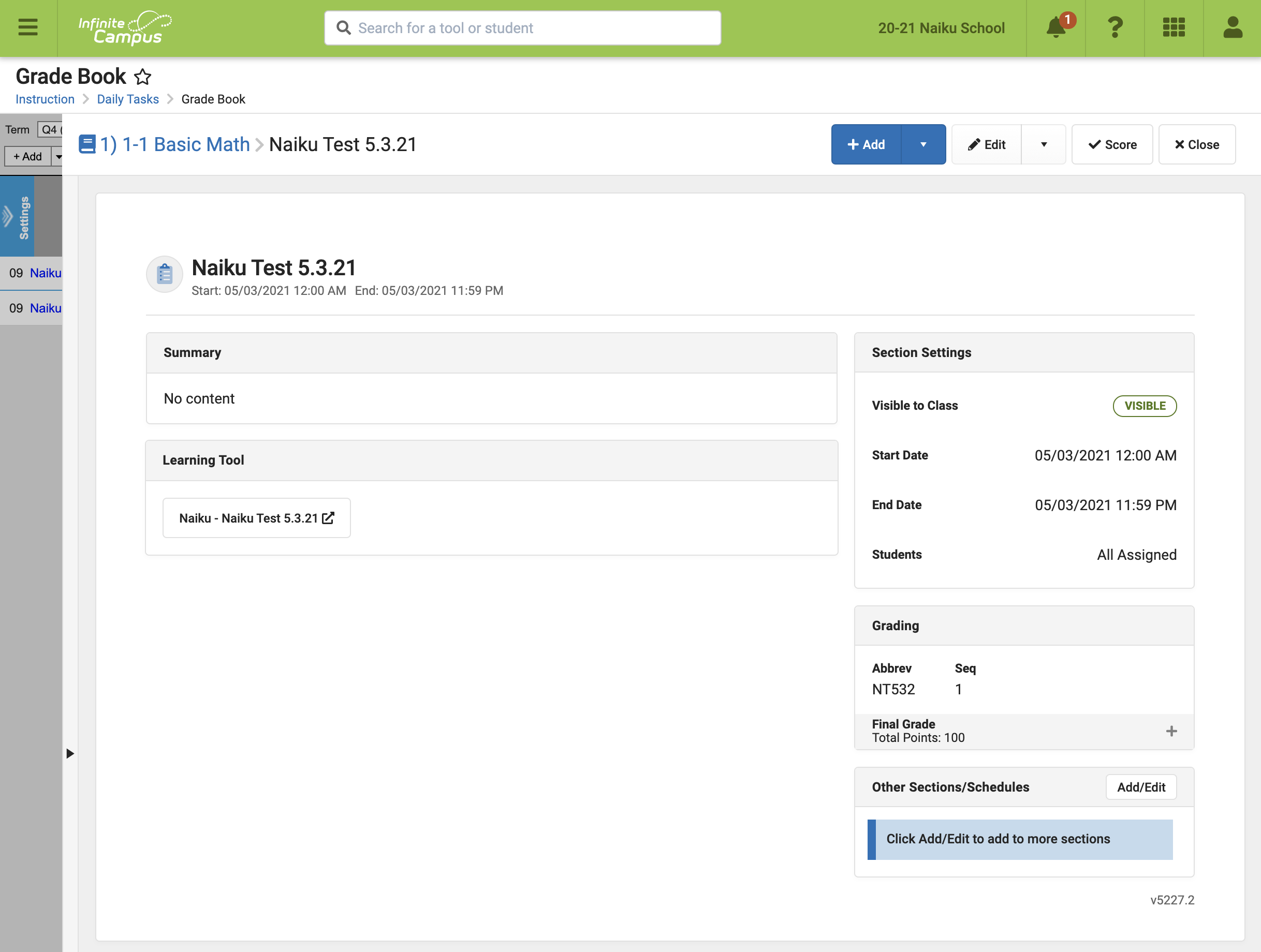
Naiku opens on Watch Progress for that class, signed in as you. You can see who has started and how they’re doing. When everyone has finished, click Close & Score.
When scores go to the gradebook
- Selected-response tests (multiple choice and similar): each student’s score goes to Campus as soon as they finish.
- Tests with questions you score by hand: scores are updated after you score them and run Close and Score.
- Tests with retakes: Campus gets the score that counts (highest, latest or first, as you chose), and updates only when that score changes. See Re-Do an Assignment in Infinite Campus.
If scores don’t show up in Campus
- Check that the assignment is points-based.
- Ask your IC administrator to check that Score Passback is turned on for the Naiku connection.
- Edit the existing assignment rather than deleting and re-adding it, so students’ launches stay linked.
Still missing? Email support@naiku.net with the assignment name and section, and we’ll check it and send any missing scores.
Tests that aren’t linked to a Campus assignment can still go to the gradebook. See Export Scores to the IC Gradebook.