
Re-Do an Assignment in Infinite Campus
A student finished a Naiku test linked to a Campus assignment, and the assignment shows Turned In. How do they take it again and get a new score in Campus? You do it in Naiku. Nothing needs to change in Campus.
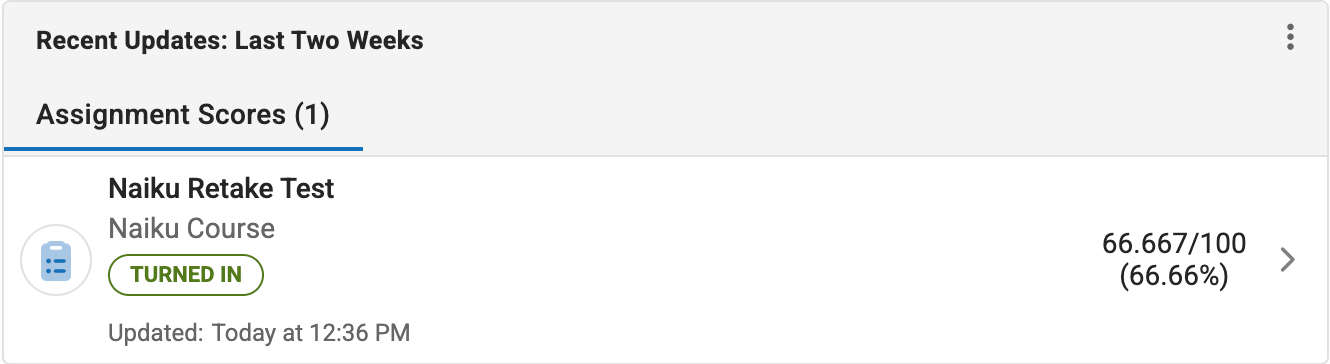
One student, once: Re-take
- In Naiku, open the test’s Watch Progress.
- Next to the student, choose Actions → Re-take, and confirm.
This deletes the student’s result so they can start over. The student opens the Campus assignment again (they may need to click into its content) and clicks the Naiku test. When they finish, the new score replaces the old one in Campus.
You can also do this from the student’s result page: Actions ▼ → Let student retake.
The whole class, as often as they want: Allow Retakes
If you want students to be able to retake a test on their own, turn on Allow Retakes in the test’s options instead.
- Students see their results, reflect, and click Retake test when they’re ready. Every attempt is kept.
- You choose the Score that counts: highest (the default), latest or first.
- Campus gets the score that counts. It’s updated only when that score changes, so a lower retake doesn’t replace a higher score under “Highest”.
- When you Close and Score, any retake a student started but didn’t finish is thrown away, and their counted score stays.