
What Students See After a Test
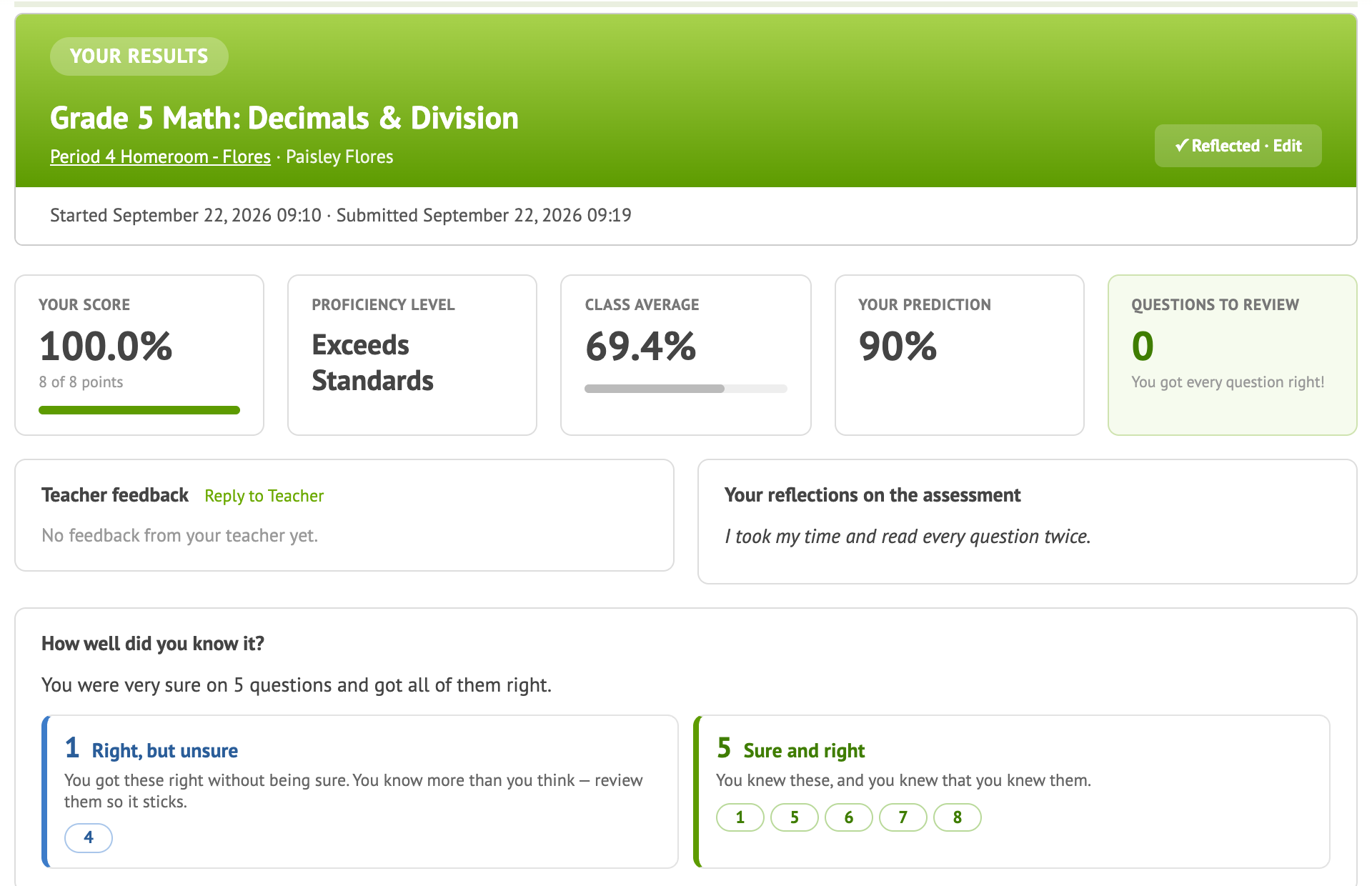
Naiku scores tests instantly, but you decide how much students see when they finish. Set it in Student Access on each test (while creating it, or with Actions ▼ → Edit).
| Setting | Students see |
|---|---|
| Reflection: Show score, items, responses, and answers (default) | Everything: their score, each question, their answers and the correct answers. They can reflect on each question. |
| Remediation: Show score, items, and responses | Their score, the questions and their own answers, but not the correct answers. They can still reflect on the ones they missed. |
| Restriction: Show score only | Only their score. |
| Show Nothing | Not even a score, only a message that their test was submitted. |
Tips
- Start strict, open up later. While some classes haven’t taken the test yet, use Remediation or Restriction so answers don’t spread. After every class is done, switch to Reflection so students can learn from their mistakes.
- Retakes: on a test with Allow Retakes, students don’t see correct answers while retakes are open, even with Reflection. Once you Close and Score the test, they do.
- The setting also controls the PDF score report students receive by email, if you turn that on.