
Prevent Edits
For a common assessment, every class needs to take exactly the same test, or the results can’t be compared across teachers and schools. Prevent Edit locks the test so only you, its creator, or a Naiku admin can change it.
Turn it on
- Open the test and choose Actions ▼ → Edit (or set it while creating the test).
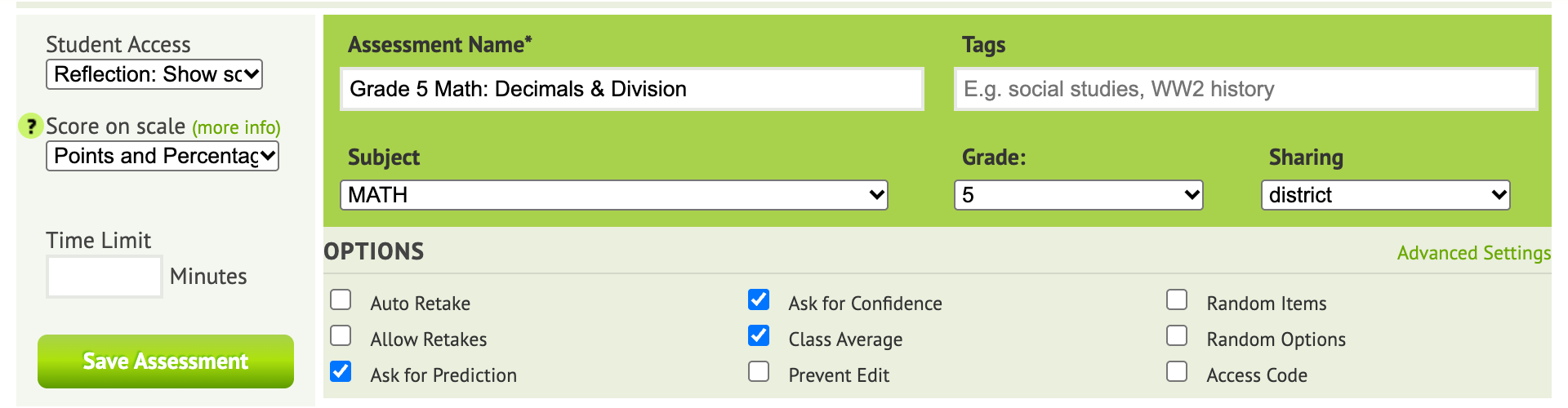
- Under Options, tick Prevent Edit.
- Click Save Assessment.
What other teachers can do
Teachers you share the test with can still preview, print and assign it to their classes. They can’t edit it or its items.
Common assessment reports then compare results across every class that took it.