
Copy, Archive or Delete a Test
On this page
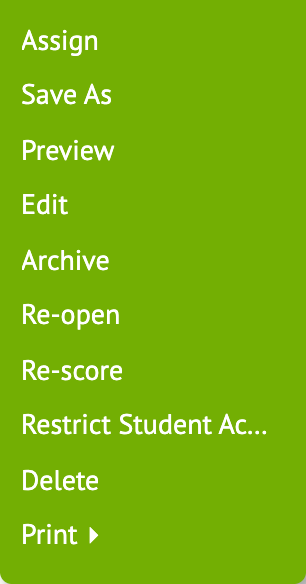
All three actions are in the test’s Actions ▼ menu.
Copy a test
- Open the test.
- Choose Actions ▼ → Save As. On a test another teacher shared with you, Save As is a button at the top.
You now own a separate copy with its own items. Edits to your copy don’t change the original, and edits to the original don’t change yours.
Giving the same test to another class? You don’t need a copy. Just assign it to that class.
Archive a test
Choose Actions ▼ → Archive to put a test away without deleting it. To bring it back, open it and choose Actions ▼ → Restore archived.
Delete a test
- Open the test.
- Choose Actions ▼ → Delete.
- Click OK to confirm.