
Creating Algorithmic Items
An algorithmic item is a math question whose numbers Naiku picks at random for each student. You write the question once, with variables, and a formula for the answer. Naiku scores every student’s answer against their own numbers.
Create one
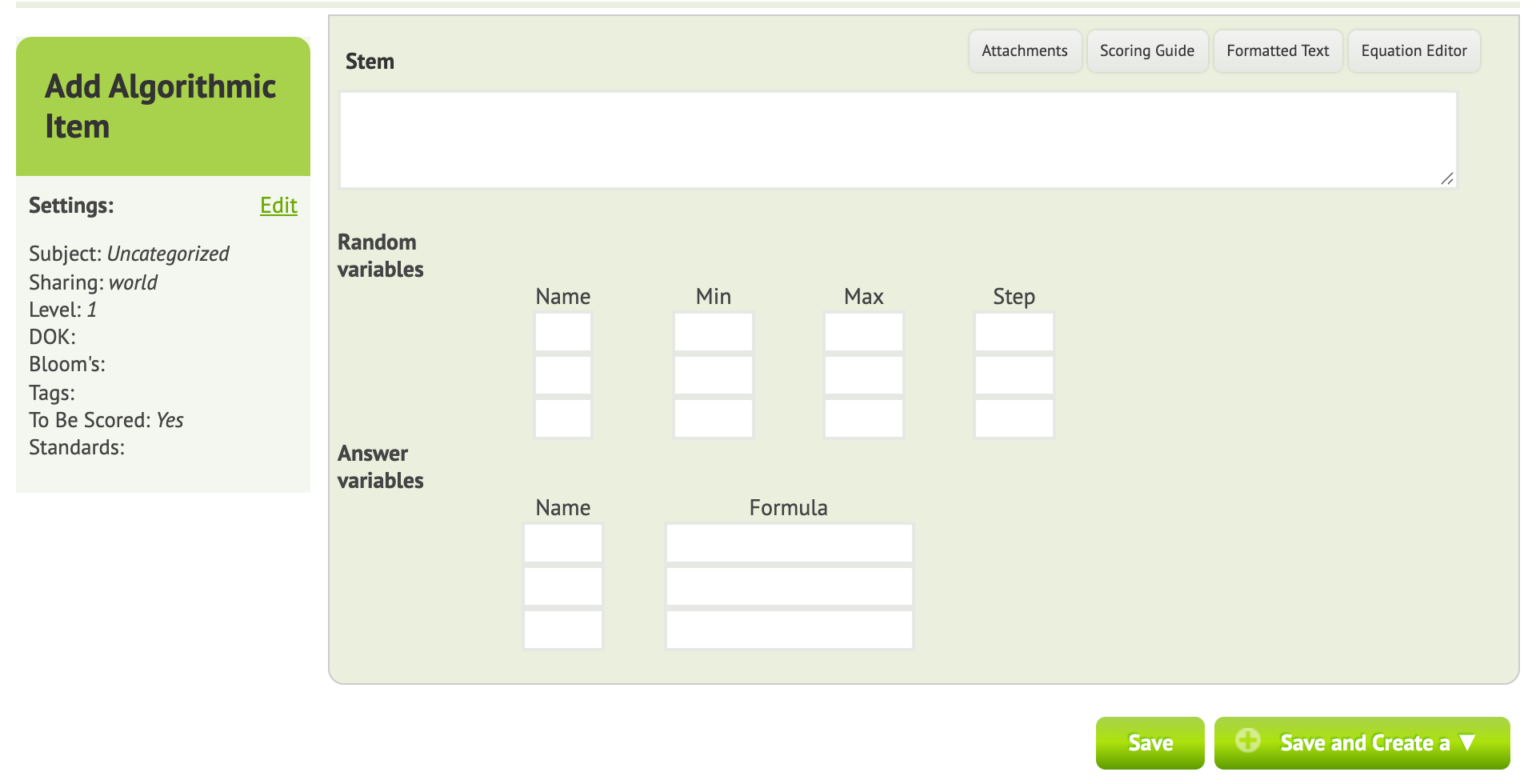
- Click New Item ▼ → Algorithmic.
- Write the question in the Stem. Put each variable in curly brackets:
What is {x} + {y}? - For each variable, set Min, Max and Step (the increment). For example, x from 1 to 5 in steps of 1, and y from 5 to 10 in steps of 1.
- Under Answer variables, name the answer (e.g.
z) and enter its Formula:x+y. You can use+,-,*,/and^(power). - Click Save and Add to Test.
Each student sees the question with their own numbers, e.g. What is 3 + 8?, and types the answer. Naiku compares it with the formula’s result for those numbers.
Tips
- Use Preview a few times to see different versions.
- Choose ranges that keep answers sensible. With division, pick values that divide evenly, or expect decimals.
- Algorithmic items make it harder for students to share answers, since everyone’s numbers differ.