Auto Build
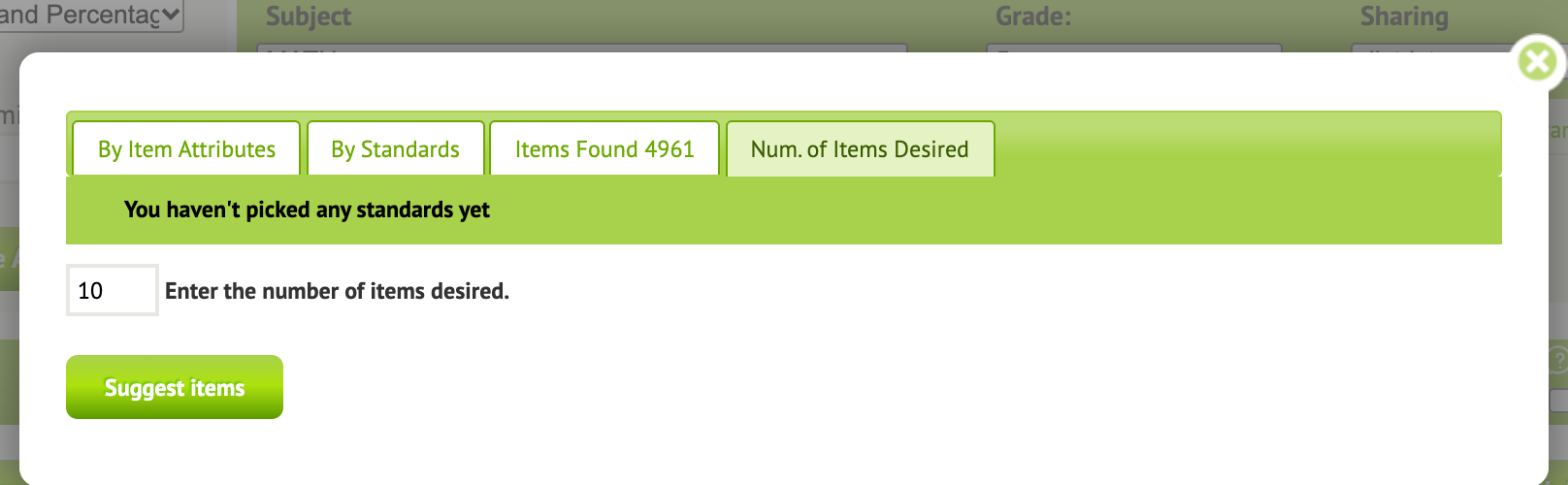
Auto Build makes a test in a few clicks. You search for items, say how many you want, and Naiku picks that many at random from the results. You can swap out any item you don’t like before adding them.
Example: a 10-question Pythagorean theorem quiz.
- Start a new assessment, name it, and click Search Items.
- On By Item Attributes, type
pythagoreanin Stem. You can also filter by type, grade, item bank and more, or pick standards on the By Standards tab. Search. - Open the Num. of Items Desired tab. Enter
10and click Suggest items. - Naiku shows 10 items picked at random from your results. Click an item to preview it. To replace one, click the icon to its left and Naiku swaps in another item from your results.
- When you’re happy with the list, click Add all items to assessment.
- Click Save Assessment, then assign the test to your classes.