
Re-open an Assessment
Closed and scored a test, and now a student who was absent needs to take it? Re-open it.
- Open the test’s Class Results.
- Choose Actions ▼ → Re-open.
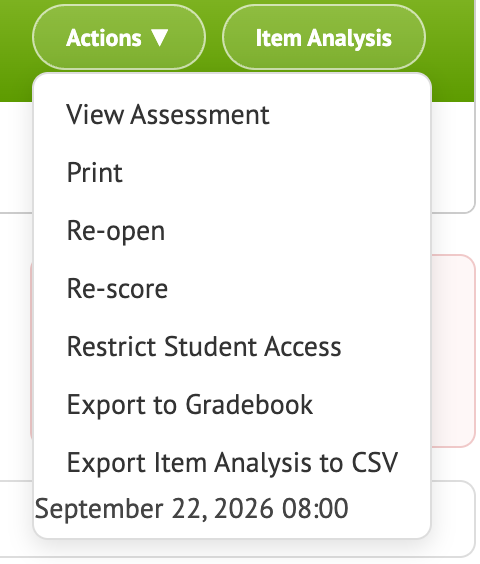
The test is open again. Students who haven’t taken it can start it the usual way. Students who already finished keep their results.
When the absent students are done, click Close and Score again. Class Results and the other reports update to include the new results.
Tips
- To give one student a fresh start instead, use Re-take. See Re-Do an Assignment in Infinite Campus. It works the same way outside Campus.
- To let students retake a test on their own, see Let Students Retake a Test.