
Grading Projects and Presentations in Naiku
You can score anything with a rubric in Naiku, such as a poster, presentation, lab or skit. Students don’t need to type anything, and you still get reports and gradebook scores.
1. Build the rubric
- Create a new assessment, e.g. Science Fair Project.
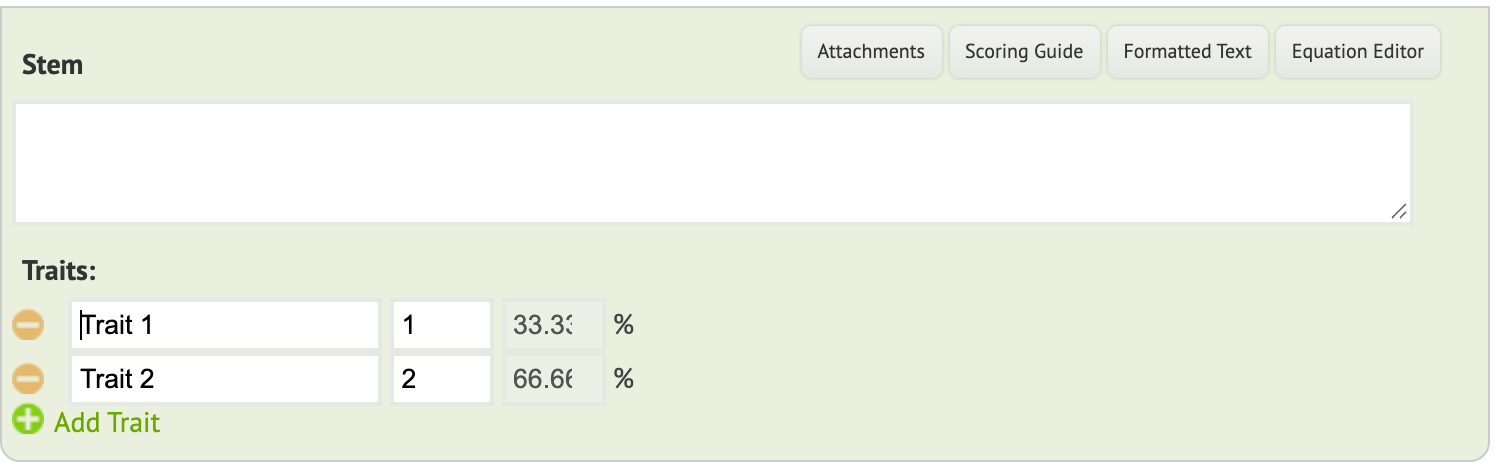
- Click New Item ▼ → Essay.
- In the Stem, describe the project.
- Under Traits, enter each rubric category and its points, e.g. Research 4, Experiment design 3, Presentation 3. Click Add Trait for more.
- Save the item, then click Save Assessment.
2. Assign and open scoring
- Assign the test to your class.
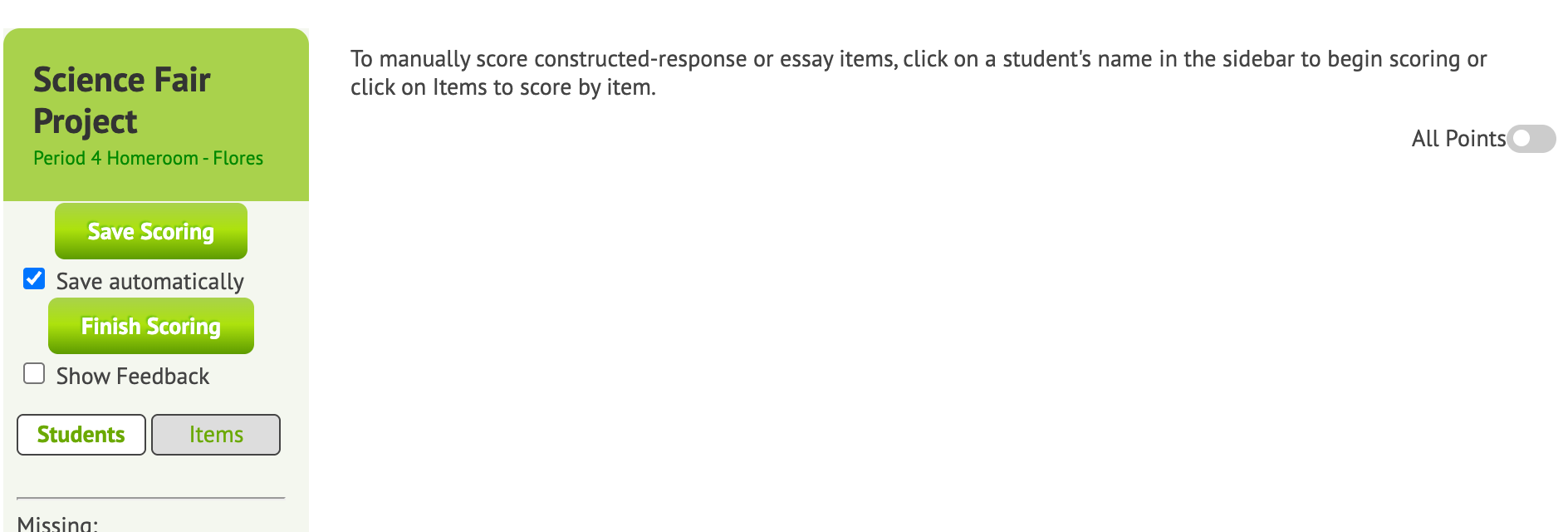
- When you’re ready to score, click Close & Score.
Your students are listed under Missing, because nobody took it online. That’s expected.
3. Score each student
- Click a student’s name.
- Enter their points for each trait.
- Optional: use Give bonus for extra credit, and tick Show Feedback to leave a comment.
- Move on to the next student. Save automatically is on by default.
When you’ve scored everyone, click Finish Scoring. Haven’t finished? You can come back and score the rest later.