
Create a Teacher Account
You can create a free Naiku teacher account in about two minutes.
Sign up
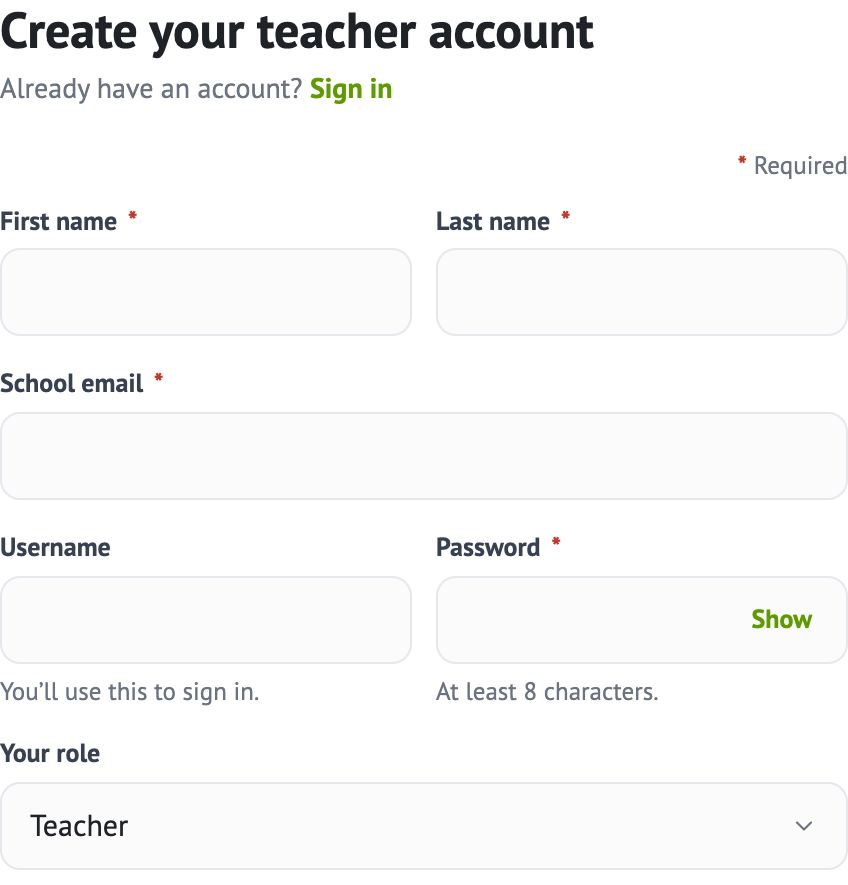
- Go to the Naiku sign-up page.
- Enter your First name, Last name and School email.
- Choose a Password with at least 8 characters.
- Enter a Username if you’d like one. If you leave it blank, you’ll sign in with your email.
- Choose Your role.
- Under Your school, choose your state, then find your district and school. If yours isn’t listed, type its full name and we’ll add it.
- Check your Time zone, complete the “I’m not a robot” check, and click Create my account.
After you sign up
Naiku opens with a short welcome tour and a sample class with sample tests, so you can look around before you set up your own.
Your free account never expires. To see what’s included, read Free and Teacher Pro.